What Legacy System Modernization Actually Means
Legacy system modernization is the process of replacing, rebuilding, or upgrading outdated software infrastructure so it can meet current business demands. This is not about chasing trends. It is about removing the technical constraints that slow down hiring, increase security exposure, and consume budget without delivering value.
Why This Problem Compounds Over Time
Old systems do not simply stay the same. They accumulate workarounds. Developers build patches on top of patches. Documentation disappears. The original architects retire or move on. Each year you delay modernization, the cost and complexity of doing it rises. A system that would have taken six months to replace in 2018 may now require 18 months because of everything layered on top of it.
The good news: there are proven strategies for managing this, and realistic cost ranges you can plan around. This guide covers both.
Signs Your System Needs Legacy System Modernization
Most organizations already know their system is aging. What they lack is a clear threshold for action. These four signals indicate the cost of staying put now exceeds the cost of modernizing.
You Cannot Hire Developers to Maintain It
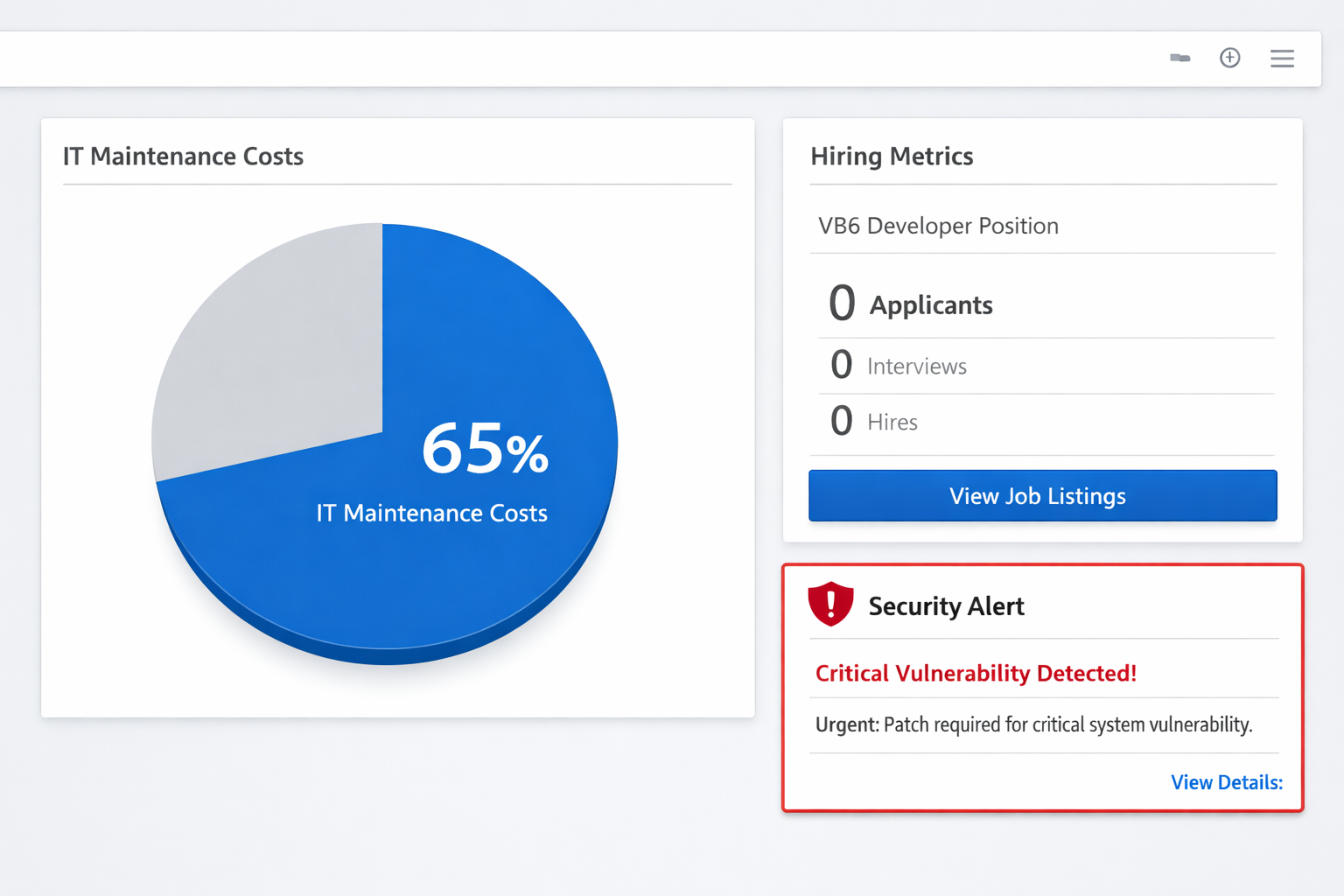
If your system runs on VB6, COBOL, FoxPro, or early .NET Framework versions, your hiring pool shrinks every year. Developers who know these platforms are retiring. Younger engineers either do not know them or will not work with them. When you post a job and receive zero qualified applicants, that is not a recruiting problem. That is a technology problem.
Security Vulnerabilities Have No Patch
Vendors stop releasing security updates for old platforms. Microsoft ended extended support for .NET Framework 3.5 and earlier versions. Systems running on unsupported runtimes cannot receive patches for newly discovered vulnerabilities. If your compliance audit flags the runtime itself as a risk, you are past the warning stage.
Modern Tools Will Not Integrate With It
Contemporary SaaS platforms, cloud services, and APIs expect JSON over HTTPS, OAuth 2.0, and REST or GraphQL endpoints. If connecting a new CRM or analytics tool requires a custom middleware layer that takes three months to build, your system is the bottleneck. Integration friction compounds: every new tool you want adds cost and delay.
Over 60% of Your IT Budget Goes to Maintenance
Gartner research consistently shows that organizations running legacy infrastructure spend between 60% and 80% of their IT budget on maintenance, leaving little for new capabilities. If you recognize that ratio in your own budgets, the system is consuming resources that should fund growth. Modernization shifts that ratio.
Three Core Modernization Strategies Compared
There is no single correct approach. The right strategy depends on your timeline, risk tolerance, budget, and how much of the existing business logic you want to preserve. The three most common strategies are rehosting, replatforming, and rebuilding.
| Strategy | What Changes | Timeline | Cost Range | Best For |
|---|---|---|---|---|
| Rehost (Lift and Shift) | Infrastructure only. Code stays the same. | 1–3 months | $30K–$80K | Moving on-premise to cloud quickly, buying time for a deeper migration later |
| Replatform | Runtime and dependencies updated. Core logic preserved. | 3–9 months | $60K–$150K | .NET Framework to .NET 8, database engine upgrades, containerization |
| Rebuild (Re-architect) | Architecture and code rewritten. Business logic re-implemented. | 9–18 months | $120K–$300K+ | Monolith to microservices, VB6 to C#, systems with high technical debt |
Choosing the Right Strategy
A rehost makes sense when you need to exit a data center contract or remove a hardware dependency fast. It solves the infrastructure problem but leaves technical debt in place. A replatform is appropriate when the codebase is structurally sound but the runtime is the liability, which is a common situation for .NET Framework 4.x applications. A rebuild is the right choice when the architecture itself prevents scaling or when the cost of working around technical debt exceeds the cost of starting fresh.
Many organizations combine strategies across systems: rehost the low-risk peripheral tools, replatform the core application, and schedule a rebuild for the most critical domain logic.
Common Migration Paths and What Each Involves
.NET Framework to .NET 8
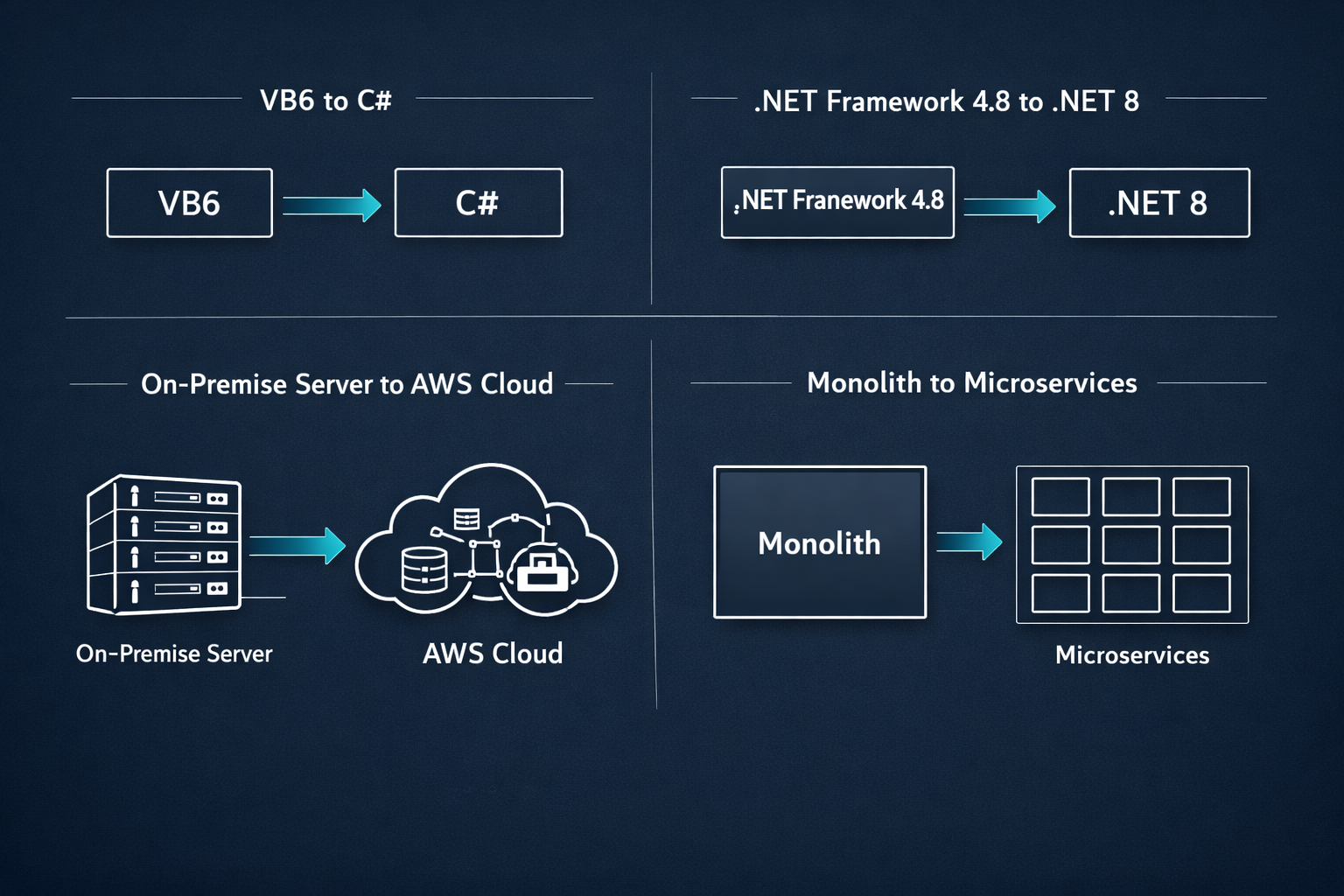
This is currently the most common migration path in enterprise .NET environments. .NET Framework (versions 1.x through 4.8) runs only on Windows and receives no new features. .NET 8 is cross-platform, ships with long-term support, and delivers measurable performance improvements, often 2x to 5x faster for API-heavy workloads according to Microsoft benchmark data. The migration involves updating project files, resolving removed APIs, replacing Windows-specific dependencies, and retesting. For a mid-sized application, expect 3 to 6 months with a dedicated team.
VB6 to C#
Visual Basic 6 reached end of life in 2008. Any system still running VB6 carries both security risk and a near-zero hiring pool. The migration is not a simple syntax conversion. VB6 applications often use COM components, ActiveX controls, and database access patterns that have no direct C# equivalent. The team must reverse-engineer business logic from the code, often without documentation. Plan for 6 to 18 months depending on application size, and budget for discovery work before committing to a fixed scope.
On-Premise to Cloud
Moving from self-hosted servers to AWS, Azure, or Google Cloud solves infrastructure management burden and unlocks managed services for databases, queuing, and authentication. The complexity scales with state management: stateless web applications move relatively quickly, while systems with shared file systems or in-memory session state require architectural changes before the move. A phased approach works well here: move the application first, then migrate the database, then refactor to use cloud-native services.
Monolith to Microservices
Breaking a monolithic application into independently deployable services is the most complex migration pattern. It requires clear domain boundaries, a team experienced in distributed systems, and a tolerance for a longer transition period where both architectures coexist. The strangler fig pattern is the standard approach: build new services at the edges of the monolith, route traffic to them incrementally, and retire the monolith piece by piece. Attempting to decompose a monolith all at once is one of the most common causes of failed modernization projects.
Realistic Costs and Timelines for Modernization Projects
What Drives Cost
Three factors account for most of the cost variance in modernization projects: codebase size measured in lines of code and complexity, the quality and availability of existing documentation and tests, and whether the team has prior experience with the specific migration path. A well-documented .NET Framework application with good test coverage migrates faster and cheaper than an undocumented VB6 system with no tests. The discovery and assessment phase, typically two to four weeks, gives you the data to estimate accurately before committing to a full project budget.
Budget Ranges by Project Type
- Rehost to cloud: $30,000–$80,000
- .NET Framework to .NET 8 replatform: $60,000–$150,000
- VB6 to C# rebuild: $100,000–$250,000
- Monolith to microservices re-architecture: $150,000–$300,000+
These ranges assume a professional services team with relevant experience. Internal teams working part-time on modernization while maintaining existing systems typically take two to three times longer, which increases total cost even if hourly rates are lower.
Timeline Expectations
A simple rehost completes in one to three months. A replatform of a mid-sized application runs three to nine months. A full rebuild or re-architecture project runs nine to eighteen months. Any estimate shorter than these ranges for non-trivial systems should be treated with skepticism. Compressed timelines on complex migrations produce rework, which costs more than the time saved.
Risk Mitigation: How to Modernize Without Disrupting Operations

The Phased Approach
Attempting to replace a production system in a single cutover is high risk. A phased approach moves functionality module by module, validating each phase before proceeding. This limits the blast radius of any single failure and gives users time to adapt. It also lets the team apply lessons from early phases to later ones, which consistently improves quality and speed as the project progresses.
Parallel Running
For critical business processes, running the old and new systems simultaneously for a defined period lets you compare outputs and catch discrepancies before the legacy system is switched off. This requires extra infrastructure cost for the overlap period but dramatically reduces the risk of silent data errors that only surface weeks after a cutover. For financial systems or anything with regulatory reporting requirements, parallel running is not optional.
Automated Testing as a Foundation
Before migrating any significant module, write tests that capture current behavior. These tests serve two purposes: they document what the system actually does (which is often different from what the documentation says), and they give you a fast feedback loop during migration to confirm the new system matches. Teams that invest in test coverage before migration consistently deliver higher-quality results and fewer post-migration defects.
Legacy System Modernization Services From DevIT Group
DevIT Group specializes in .NET modernization, with a delivery record across .NET Framework to .NET 8 migrations, VB6 to C# rewrites, and monolith decomposition projects. Our teams combine deep platform expertise with a structured assessment process that produces accurate scopes and timelines before any development begins. We work in phases, maintain transparent progress reporting, and take responsibility for production readiness, not just code delivery.
If your system shows any of the four warning signs covered in this guide, the right first step is an assessment. Contact our team to discuss your current stack and get a clear picture of your options.
Frequently Asked Questions
How do I know if I should replatform or rebuild?
Replatform when the core business logic is sound and the problem is the runtime or infrastructure. Rebuild when the architecture itself is the constraint, for example when adding a feature requires touching twenty different modules, or when the codebase has accumulated so many workarounds that developers spend more time understanding existing code than writing new code. A short discovery engagement with an experienced team can answer this question for your specific system in two to four weeks.
Can we modernize without taking the system offline?
Yes, in most cases. The strangler fig pattern for monolith decomposition and the phased module-by-module approach for replatforming both allow the system to remain in production throughout the migration. Full cutovers are generally reserved for final database migrations, and even those can be managed with replication and a short maintenance window rather than extended downtime.
What is a realistic timeline for a .NET Framework to .NET 8 migration?
For a mid-sized application (200,000 to 500,000 lines of code) with reasonable test coverage, expect three to six months with a dedicated team. Larger applications or those with heavy dependencies on Windows-specific APIs or third-party components that lack .NET 8 equivalents can extend to nine months. The assessment phase, before migration begins, produces the project-specific estimate.
What is the biggest risk in a legacy modernization project?
Scope underestimation during the planning phase causes more project failures than technical challenges. Teams consistently underestimate the complexity hidden in undocumented business logic, custom integrations, and edge cases that only surface during testing. Investing in a thorough discovery and assessment phase before committing to a fixed budget and timeline is the single most effective risk reduction measure available.